Scanning and Other Multimedia Production Services Available at Rutgers - New Brunswick Campuses
For the most up-to-date information on the services of any of the below Centers, please contact them directly. There full range of services is decribed on their web page.
Imaging Services
Alexander Library on the B level
Phone 732-932-7940
FAX 732-932-1248
Library of Science & Medicine (3rd floor)
Phone 732-445-2269
FAX 732-445-3571
Dana Library Photocopy Center
Phone 973/353-5572
Self-service copying, full-service copying, Rutgers thesis copying, transparencies, fiche duplication, faxing, scanning.
Office of Print and Electronic Communications (Formerly Office of Television and Radio)
6 Berue Circle, Building 4047, Livingston Campus, 5-3710, x129
http://ur.rutgers.edu/creative.shtml
Available for faculty use.
Mostly fee-based services; some free consultation and assistance may be arranged.
Technologies available: Transferring slides, photos and video images to digital format for use on the Web, presentations or CD-ROMs.
Video and audio recording, duplication, editing and transfers
Full production of video, audio and computer based instructional presentations.
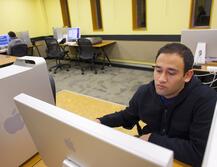
RUCS Computer Labs
College Avenue Computing Center - Records Hall
Livingston Computing Center - Tillett
Cook/Douglass Computing Center - Loree
Busch Campus - Digital Media Lab (see above)
http://rucs.rutgers.edu/services/instruction/index.html">
Open to students (DML serves faculty also)
Hours of operation:
Generally 24 hours. Douglass and DML are exceptions. See hours web site:
http://www.nbcs.rutgers.edu/ccf/main/user/hours_general.shtml">
These RUCS student computer labs have scanning equipment.
Technical assistance is available.
RUCS Digital Media Lab (DML)
ARC - Allison Road Classroom Building
732-445-3129
http://rucs.rutgers.edu/services/instruction/services-dml.html
Open to students & faculty
See hours web site: http://www.nbcs.rutgers.edu/ccf/main/user/hours_general.shtml
Technical assistance is available
Technologies available for use:
- Scanning equipment
- Slide scanning
- Color Printers (3 copy limit)
- Video Digitizing and Editing
- CD Burning
- Film recording
NOTE: If OCR scanning is needed, DML has OmniPage software which converts a scanned image into simple text
Teaching Excellence Center
116 College Avenue
732-932-7466
http://TeachX.rutgers.edu/tec
Instructors wishing to use technology to improve teaching and learning may contact the Teaching Excellence Center. The Teaching Excellence Center offers a series of workshops listed at http://TeachX.rutgers.edu/tec/ws.html#now.
Faculty interested in scanning images or documents for use in instruction or on course web pages should contact Joseph Delaney, Instructional Technology Specialist, Teaching Excellence Center, 732-932-7466, jpd@TeachX.rutgers.edu for more information.
Faculty interested in scanning exams and receiving analysis of results should contact Monica Devanas, Director, Faculty Development and Assessment Programs, Teaching Excellence Center, 732-932-7466, devanas@TeachX.rutgers.edu for more information.